Free sample lesson · Tool Design & MCP Integration
Design Tools Claude Can Choose
Why did order 12345 route to the customer-profile tool?
Lesson 1 of the Wondering course Tool Design & MCP Integration
Designing Tools Claude Can Choose
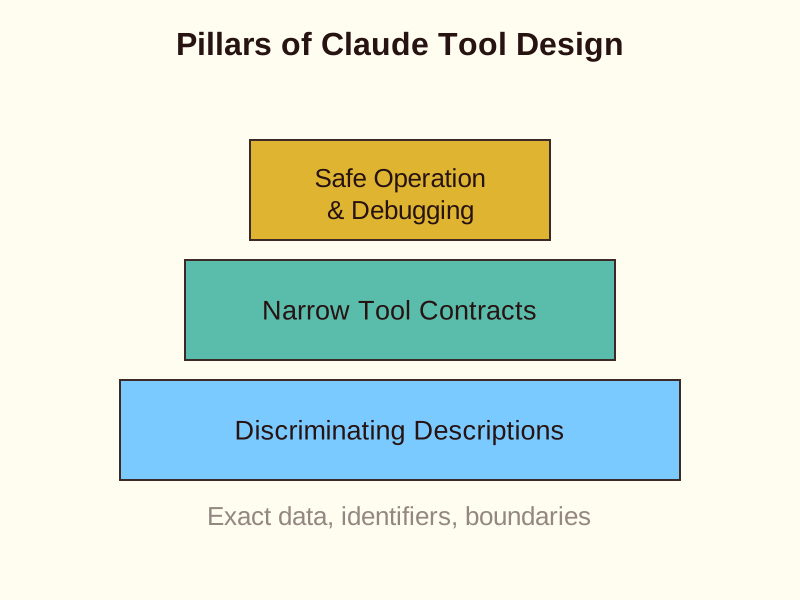
Learn how to build Claude tools and MCP integrations that are easy to select, safe to operate, and simple to debug through precise descriptions and narrow contracts.
The Power of Clear Descriptions
Claude selects tools based on the descriptions you provide. A descriptive name is not enough to ensure the model chooses correctly.
Effective descriptions state exactly what a tool does and what data it returns. They also list accepted identifiers like order numbers or tracking IDs.
Think of descriptions as labels on drawers. They guide choice but do not enforce security rules.
- Action & Data: State exactly what the tool does and what data it returns.
- Identifiers: List accepted identifiers like order numbers or tracking IDs.
- Drawer Label: Act as a clear label that guides probabilistic choice rather than enforcing security.
Setting Boundaries Between Tools
Ambiguity leads to routing errors. You must define where one tool ends and another begins.
For example, lookup_order should explicitly defer identity verification to get_customer. This prevents Claude from using the wrong tool for account questions.
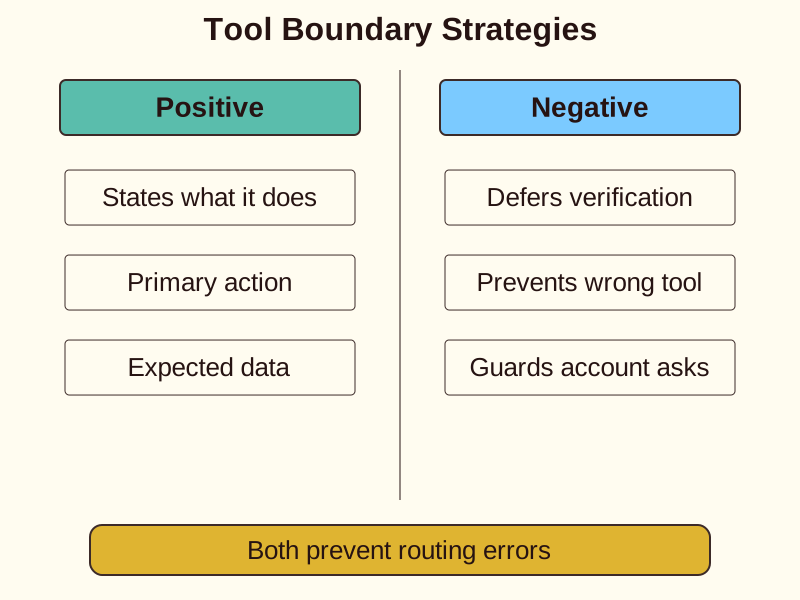
- Describe when, then constrain how
Negative boundaries are just as important as positive capabilities.
Designing Narrow Tool Contracts
A single tool should perform one coherent operation. Avoid bundling unrelated actions into a generic interface.
Instead of a broad analyze_document tool, create specific functions. You might use extract_data_points, summarize_content, and verify_claim_against_source.
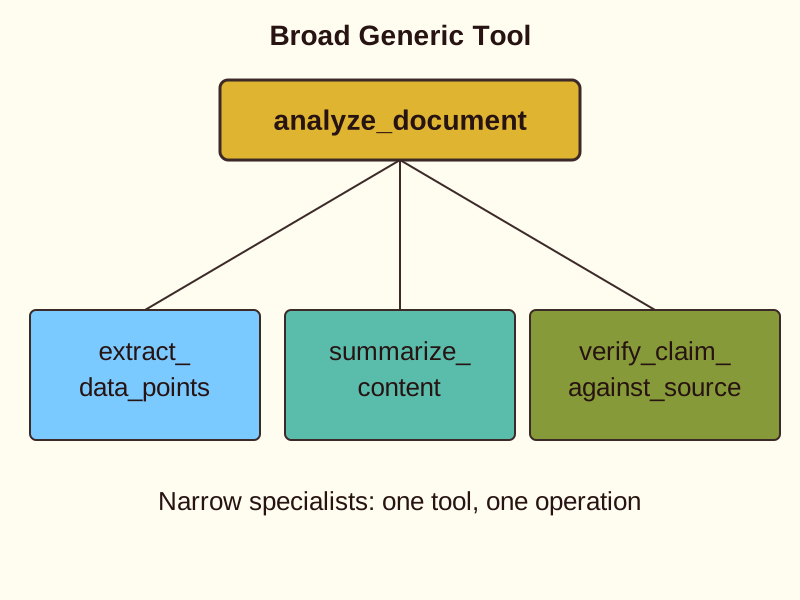
Narrow contracts reduce confusion. They make it easier for Claude to match the user request to the correct capability.
When to Refine or Split
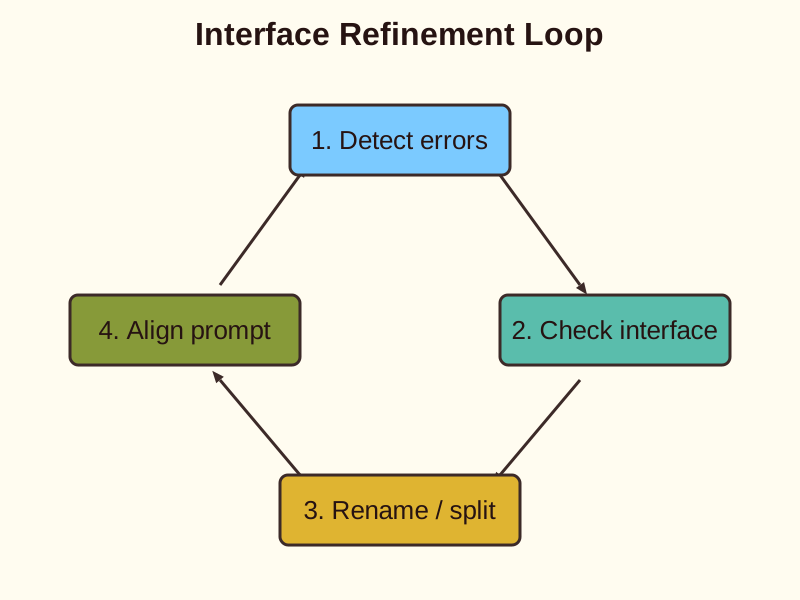
If Claude misroutes a request, check the interface first. Improving descriptions is often cheaper than adding complex routing infrastructure.
Rename tools if their labels collide. Split a tool only when the resulting operations are genuinely distinct.
System prompt instructions can also bias selection. Ensure your instructions do not contradict your tool descriptions.
How to Apply It in Real Life
- Define Contracts: Split vague operations into single-purpose functions.
- Write Descriptions: Include exact inputs, returned data types, and negative boundaries.
- Debug and Split: Refine tool definitions if routing collisions occur.
Check yourself
Tool descriptions function like drawer labels because they _____ rather than enforce security constraints.
- guide probabilistic choice
- enforce security permissions
Answer: guide probabilistic choice
Tool descriptions guide the probabilistic tool selection of Claude, but they do not enforce system access controls or security rules.
Instead of a single broad tool, decomposing contracts creates single-purpose functions: _____ retrieves specific values, _____ condenses text, and _____ checks accuracy against source text.
Answer: Instead of a single broad tool, decomposing contracts creates single-purpose functions: extract_data_points retrieves specific values, summarize_content condenses text, and verify_claim_against_source checks accuracy against source text.
Replacing generic interfaces with specific, single-operation tools reduces confusion and ensures precise tool selection by Claude.
Claude is frequently calling lookup_order to answer customer identity verification questions instead of calling get_customer. Which design change best fixes this routing issue?
- Add explicit boundary notes in
lookup_orderdeferring identity verification toget_customer. - Consolidate both operations into a single generic tool called
manage_account. - Rename
lookup_ordertolookup_order_and_verifywithout modifying the description. - Add strict JSON schema type validation to the order ID parameter.
Answer: Add explicit boundary notes in lookup_order deferring identity verification to get_customer.
Defining negative boundaries in descriptions explicitly informs Claude where one tool's responsibility ends and another begins, resolving routing ambiguity.
Keep going
This is lesson 1 of 5 in Tool Design & MCP Integration. Next up:
- Return Recoverable Tool Errors
- Scope Tools and Tool Choice
- Configure MCP by Scope
- Explore Code with Built-ins
Wondering turns any topic into short lessons you can read, watch, or listen to, with practice questions and an AI tutor.