Free sample lesson · The Design of Everyday Things
Discoverability
Why do simple doors require signs telling us to push or pull?
Lesson 1 of the Wondering course The Design of Everyday Things
The Door Puzzle
You walk up to a glass door, grab the handle, and pull. It does not move. Then you notice a small sign: Push.
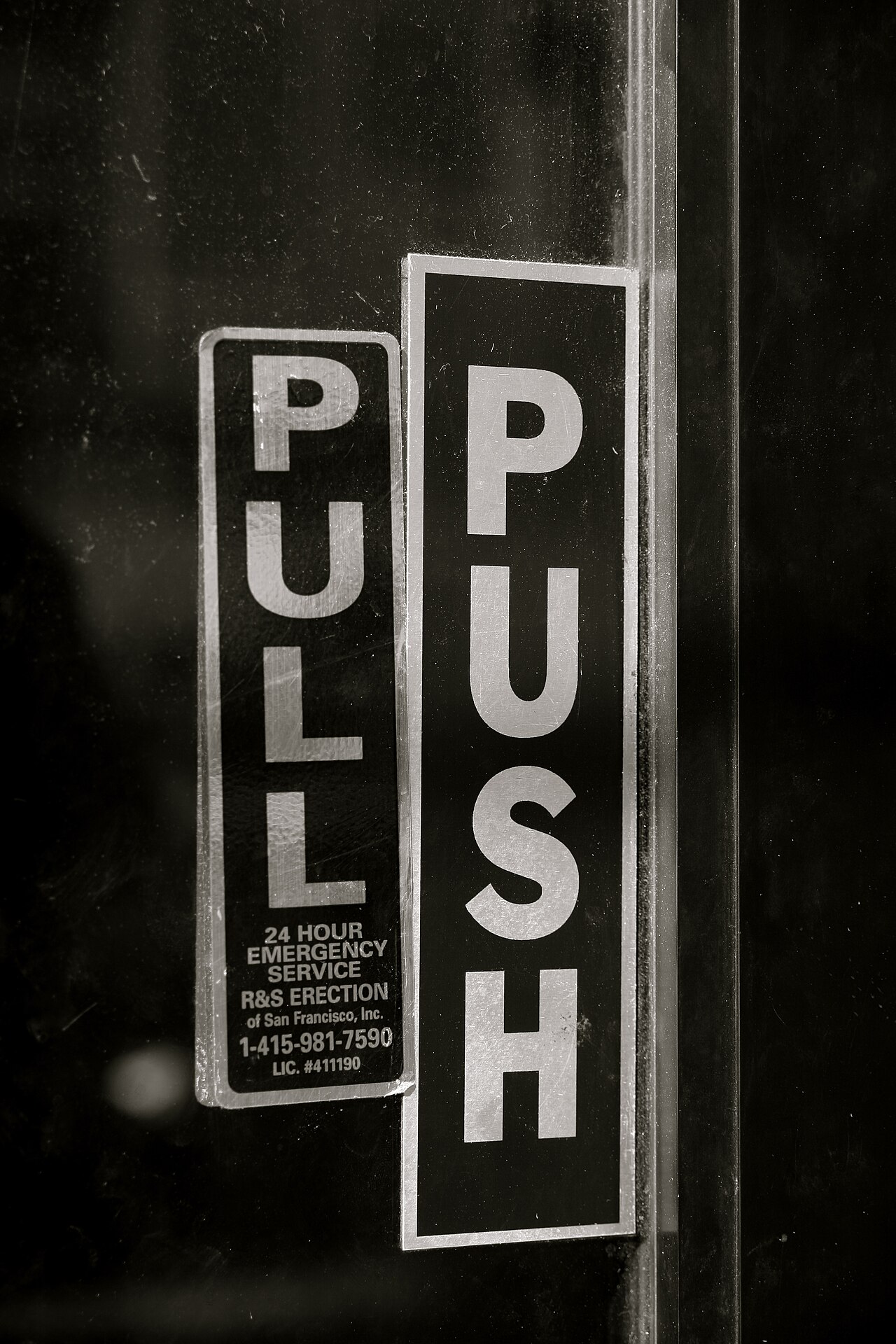
Door with both push and pull signs · Robert S. Donovan from Adams, NY, USA · CC BY 2.0 · Wikimedia Commons
Why does something as simple as a door need written instructions?
Designer Don Norman has a blunt answer. When a door needs a sign telling you to push, pull, or slide, it is a failure, poorly designed.
Doors like this are now called Norman doors. They show two qualities every product needs: discoverability and understanding.
What Discoverability Means
Discoverability is your ability to figure out what actions are possible, and where and how to perform them.
- Discoverability: Found without instructions.
- What actions?: Does the door open at all?
- Where?: Where do I touch it?
- How?: Do I push or pull?
The key condition: you should not need instructions or long trial and error to find out.
Think of the door again. You want to know three things at a glance: Does it open? Where do I touch it? Do I push or pull?
A sign on the door means the design could not answer these questions by itself.
What Understanding Means
Finding the controls is only half the job. Understanding means grasping what a product does, how it works, and what will happen when you act.
- Understanding
- What does it do?: The purpose of the product.
- How does it work?: The way the product operates.
- What will happen?: The result of your action.
Discoverability gets you to the right spot. Understanding lets you predict the result.
On a door, understanding means knowing that your push or pull will actually open it.
Without understanding, people act and hope. They pull, wait, and feel confused when nothing happens.
Plates and Handles Speak
A well-designed door needs no sign. Its hardware tells you what to do.
A flat plate signals push. You cannot grab it, so the only sensible action is to press against it.
A handle signals pull. Its shape invites your hand to grasp it and draw the door toward you.
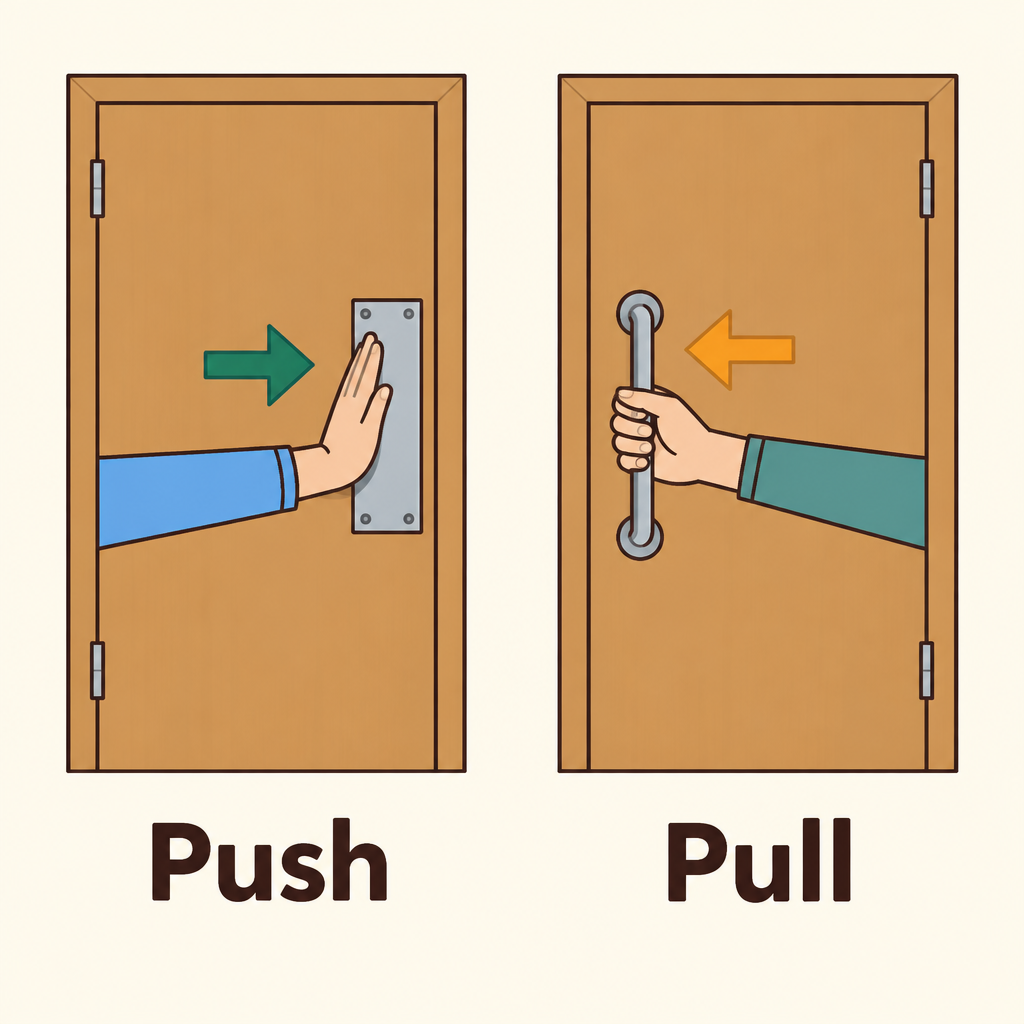
Notice that the flat plate gives your hand nothing to grip, while the handle invites grasping, so each door shows its action without a sign.
The object itself carries the instruction. That is discoverability and understanding working together.
Blame the Design, Not Yourself
When people struggle with a product, they often blame themselves. They think they are clumsy or not smart enough.
The lesson of the Norman door flips this. If an everyday object confuses people, the design has failed, not the user.
This shift matters. Designers who blame users stop looking for problems they could fix.
Checking Your Own Designs
You can test any product, screen, or object with two quick questions.
First, can a new user see what actions are possible, and where and how to perform them? If not, discoverability has failed.
Second, can they predict what will happen when they act? If not, understanding has failed.
- Look at product
- Actions obvious?: Can users see what, where, and how?
- Discoverability failed
- Results predictable?: Can users predict what will happen?
- Understanding failed
- No sign needed
- No
- Yes
- No
- Yes
A warning sign or long instructions is often a clue. The design is asking words to do its job.
Key Takeaways
Discoverability answers what can I do, and where and how? It is about finding the actions.
Understanding answers what does this do, and what will happen? It is about predicting results.
- Discoverability
- Understanding
Good design delivers both without instructions, like a door with a plate or a handle.
When users struggle, look at the design first. That is the foundation of intuitive products.
Check yourself
A door that needs a sign saying "Push" or "Pull" is an example of _____
- poor design
- helpful design
Answer: poor design
If even a simple door needs written instructions, its design has failed to show users how to use it. The sign is a patch for poor discoverability and understanding, not evidence of good design.
On a well-designed door, a flat _____ signals that you should push, because there is nothing to grab. A _____ signals that you should pull, because it invites grasping.
Answer: On a well-designed door, a flat plate signals that you should push, because there is nothing to grab. A handle signals that you should pull, because it invites grasping.
A flat plate can't be grabbed, so the only sensible action is to push. A handle invites grasping, which suggests pulling. These physical cues make the correct action discoverable without a sign.
A user opens a new app and can't find where to tap to start a new message. Which quality is the app mainly lacking?
- Discoverability
- Understanding
- Visual appeal
- Speed
Answer: Discoverability
The user can't figure out where or how to perform an action. That is a failure of discoverability. Understanding would concern knowing what the app does or what a tap will result in.
Keep going
This is lesson 1 of 25 in The Design of Everyday Things. Next up:
- Affordances
- Signifiers
- Mapping
- Feedback
- Conceptual Models
Wondering turns any topic into short lessons you can read, watch, or listen to, with practice questions and an AI tutor.