Free sample lesson · Systems Design for AI Builders
Client Server
How does your browser coordinate with remote hardware without seeing the underlying physical machine?
Lesson 1 of the Wondering course Systems Design for AI Builders
How Your Browser Reaches Hidden Hardware
Open a web page and your browser gets text, images, and answers from a machine you never see.
That remote machine could be anywhere. Your browser does not need to know its physical details to work with it.
This works because of the client-server model. Tasks are split between a client that requests a service and a server that provides it.
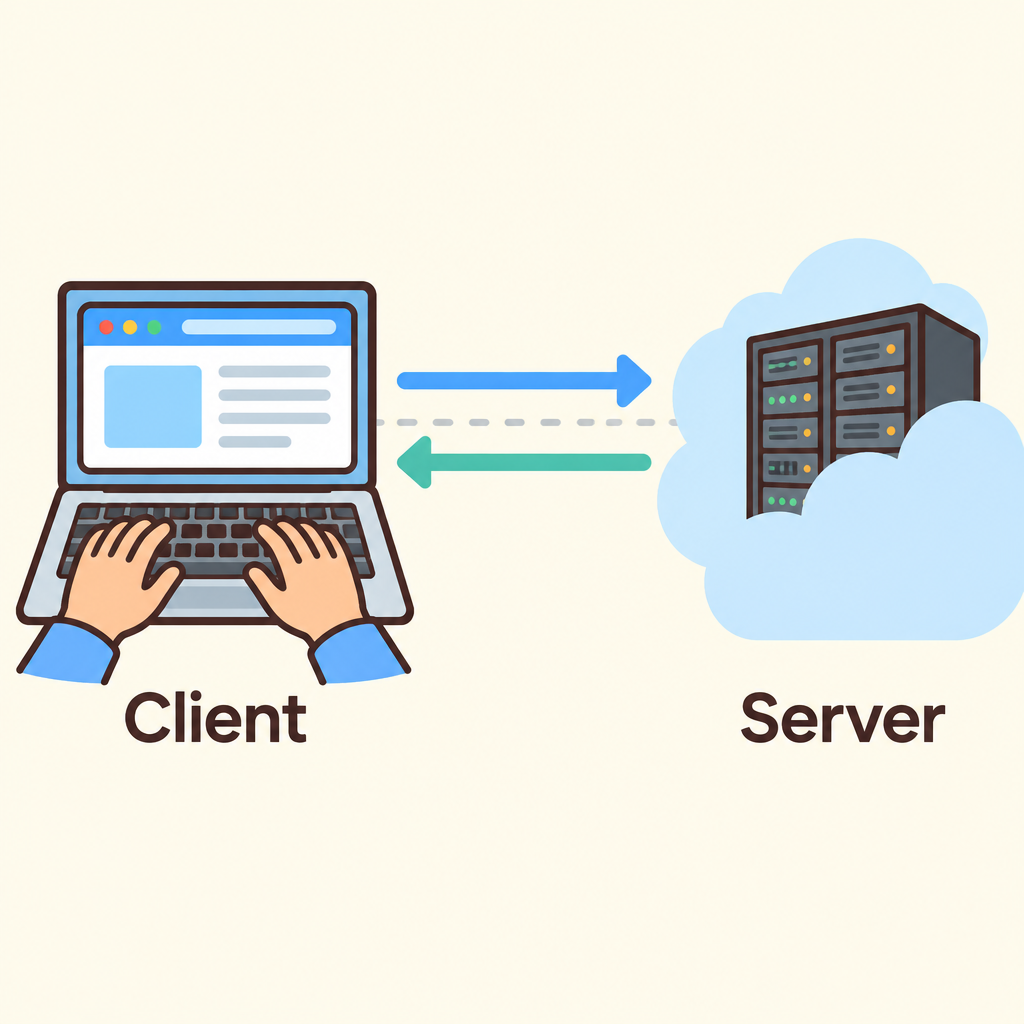
Notice that the laptop only sends requests and receives answers across the network; it never touches the server hardware directly.
It is the fundamental pattern behind the AI applications you will build.
Two Roles: Requester and Provider
Every client-server system has two jobs, and each side owns one.
The server is the provider of a resource or service. It holds the capability and waits for requests.
The client is the service requester. A web browser and an AI harness asking a model for output are both clients.
- Client
- Server
This split is a separation of concerns. Each side focuses on its own job instead of trying to do everything.
Who Starts the Conversation
The client always initiates. It opens a communication session with the server.
The server does not reach out first. It sits ready and awaits incoming requests.
- Server waits: The server sits ready and awaits incoming requests.
- Client initiates: The client opens a session and sends a request.
- Server handles: The server processes the request and sends back a result.
- Client uses: The client uses the result or shows it to the user.
When a request arrives, the server handles it and sends back a result. The client then uses that result or shows it to the user.
Remember the direction: the requester speaks first, and the provider answers.
An Engineer's Analogy: The Bus
If you have wired a microcontroller to a remote sensor over a bus, you already know this pattern.
The microcontroller asks for a reading, and the sensor provides it. That is a master-slave relationship in a communication protocol.
Client-server is the same idea at a higher abstraction layer. The browser plays the microcontroller, and the server plays the sensor.
Swap wires for networks, and the roles stay the same.
Where the Heavy Lifting Happens
In AI applications, the two roles split the work in a predictable way.
The server does the heavy computation, such as running large language models.
The client handles user input and data visualization. It captures what the user types and displays the results.
- AI application
- Client: Local hardware
- User input
- Data visualization
- Server: Remote cloud infrastructure
- Heavy computation
- Running language models
That is why a chat app on a small device can feel powerful. The model itself runs on remote cloud infrastructure.
Why Offloading Pays Off
Putting logic in the right place has real engineering benefits.
Delegating complex processing to high-performance remote servers optimizes power consumption on local embedded devices. The small device does less work.
Correct placement also prevents latency issues, because each task runs where it fits best.
- High-performance servers: Take on the complex processing.
- Embedded devices: The small local device does less work.
- Power consumption
- Latency issues
Put logic on the wrong side, and you lose both benefits.
Partitioning Code With AI
When you ask AI to generate code, it may not know which side each piece belongs on. You need to tell it.
For each task, ask: does it need heavy computation, like running a model? Then it belongs on the server.
Is it user input or displaying results? That belongs on the client, the local hardware.
- New task
- Heavy computation?: For example, running a large language model.
- Server (backend): Offload to remote cloud infrastructure.
- Input or display?
- Client (frontend): Keep on the local hardware.
Name the split in your prompt: frontend for the client, backend for the server.
Roles, Not Machines
A common mistake is to think client and server are types of hardware.
They are roles. The client is whoever requests a service. The server is whoever provides it.
That is why your browser can work with a remote machine it never sees. It only needs to know how to ask.
Think of the bus again: the role defines the behavior, not the box.
Key Takeaways
Here is what to carry into your next project.
Recognize the pattern: whatever sends a request is the client, and whatever waits and serves is the server.
Explain it simply: the requester asks and the provider answers, like a microcontroller reading a sensor on a bus.
Act on it: keep input and display on the client, push heavy processing like language models to the server, and say so in your prompts.
- Recognize
- Client requests: It initiates the session.
- Server provides: It awaits incoming requests.
- Explain
- Requester asks, provider answers
- Like a microcontroller and sensor: Same idea at a higher abstraction layer.
- Act
- Input and display on client
- Heavy processing on server: Saves device power and prevents latency issues.
Name the frontend and backend split in every AI prompt.
Check yourself
In the client-server model, the _____ is the side that requests a resource or service
- client
- server
Answer: client
The client is the requester (e.g., a web browser or AI harness). The server is the provider that supplies the resource or service.
In a typical AI application, the _____ captures user input and displays results, while the _____ runs the large language model.
Answer: In a typical AI application, the client captures user input and displays results, while the server runs the large language model.
Heavy computation like running an LLM happens on the server. The client focuses on user interaction: taking input and visualizing output.
A microcontroller requests a reading from a remote sensor over a bus, and the sensor replies. In client-server terms, which role does the microcontroller play?
- Client, because it initiates the request
- Server, because it initiates the request
- Server, because it processes the data
- Client, because it stores the data
Answer: Client, because it initiates the request
The microcontroller initiates the request, so it acts as the client. The sensor provides the data, acting as the server. This mirrors the master-slave relationship in bus protocols.
Keep going
This is lesson 1 of 36 in Systems Design for AI Builders. Next up:
- IP Addressing
- DNS Routing
- Proxy Types
- Network Latency
- TLS Handshakes
Wondering turns any topic into short lessons you can read, watch, or listen to, with practice questions and an AI tutor.