Free sample lesson · Home Networking Made Simple
How Internet Works
When you open a website, where does it actually come from?
Lesson 1 of the Wondering course Home Networking Made Simple
Where Websites Really Live
When you open a website, the page does not come from your computer.
It lives on a server, a computer that stays switched on and connected somewhere else in the world.
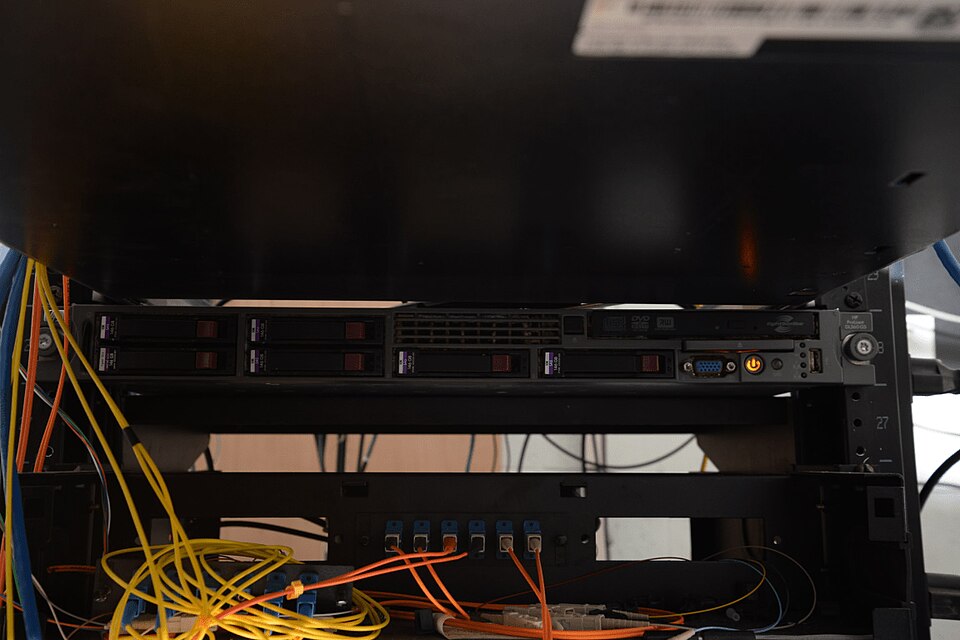
EFTA00002518 - Server rack with multiple hard drives and network cables connected in a data center environment · Federal Bureau of Investigation · Public Domain Mark 1.0 · Wikimedia Commons

Your device has to reach out, ask for the page, and wait for it to travel back to you.
Knowing this journey is the first step to fixing a page that will not load at home.
Names Become Numbers: DNS
People use names like example.com. Computers use numeric IP addresses instead.
The Domain Name System (DNS) works like a phone book. It translates the name you type into the IP address your device needs.
- Name you type
- IP address
Suppose you type example.com on your laptop. It first asks a DNS server, which answers with a number such as 93.184.215.14.
Only then does your laptop know where to send its request.
The Trip Out to the Server
With the address in hand, your device sends a request.
At home, it travels over Wi-Fi or an Ethernet cable to your router, the box that links your home network to the outside world.
The router hands it to your Internet Service Provider (ISP), the company you pay for internet access.
From there, the request crosses many connected networks run by different organizations until it reaches the server.
- Your device: Sends the request over Wi-Fi or an Ethernet cable.
- Router: Links your home network to the outside world.
- ISP: The company you pay passes the request onward.
- Many networks: Networks run by different organizations carry it along.
- Server: The request arrives at the computer holding the page.
The Page Comes Back in Pieces
The server replies by sending the page's data back, broken into small pieces called packets.
The packets travel back across those networks to your ISP, then your router, and finally your device.
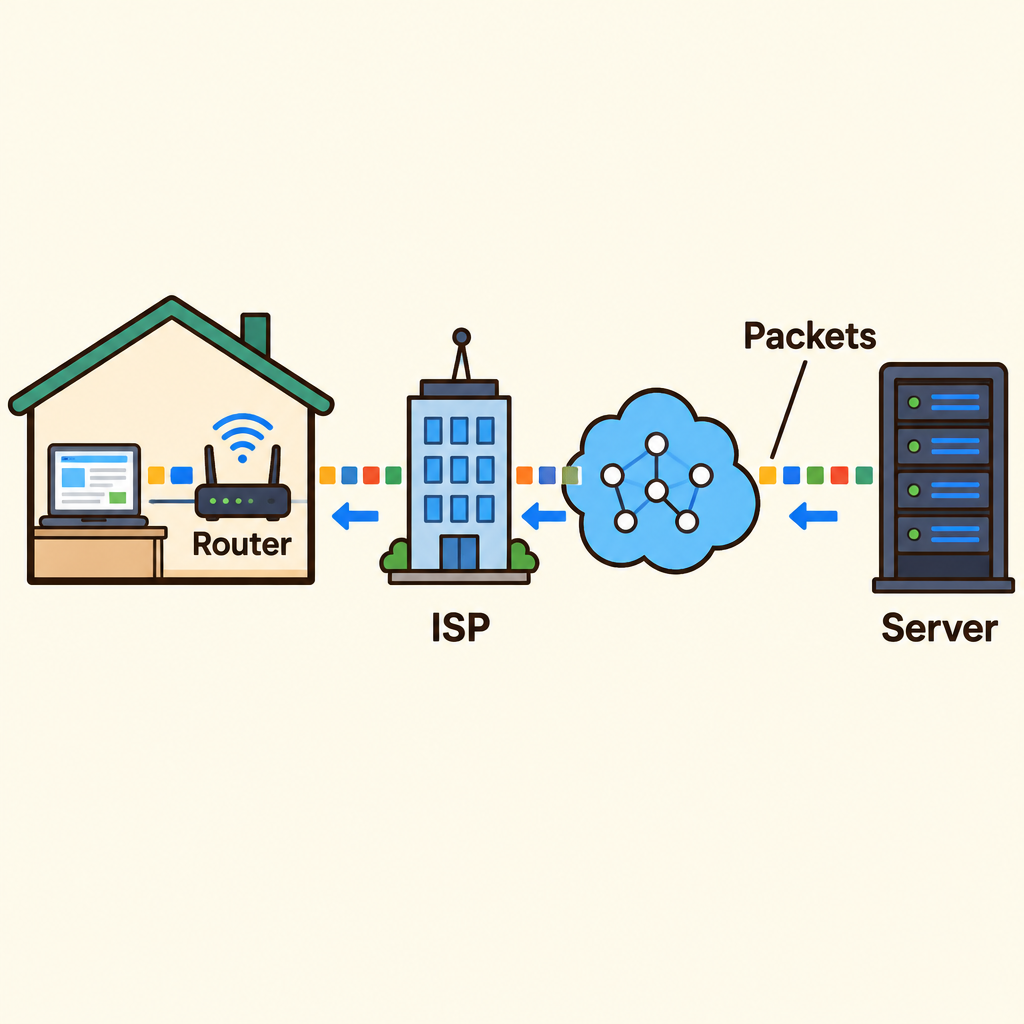
Notice the page leaves the server as small packets, passes the ISP and the home router, and is only rebuilt into a full page on your laptop.
Your device puts the packets back together and shows you the page.
All of this usually takes less than a second, even when the server is far away.
Every Link Can Break
This journey is a chain. Each link is a place where things can go wrong.
The links are your device, your home network, the router, the ISP, DNS, and the server.
If any one link fails, the page will not load. So a page that will not open does not tell you, by itself, which link broke.
Knowing the chain lets you narrow the problem down instead of guessing.
Finding the Broken Link
Imagine example.com never loads on your laptop at home. Before calling anyone, check what else is affected.
Only one device fails? Look at that device.
Every device in the house fails? Look at the router or the ISP.
Only one website fails? The problem may be on that site's server.
- Page will not load
- Every device fails?
- Check router or ISP: Restarting the router is a sensible first check.
- Only one site fails?
- Site's server likely: The problem may be on that website's server.
- Check that device: If only one device fails, look at that device.
Suppose other devices on your Wi-Fi also load nothing. The break is likely the router or provider, so restart the router first.
The Big Picture to Keep
Opening a page is a round trip: DNS finds the address, your request goes out through the router and ISP, and packets come back.
When something breaks, ask who is affected: one device, every device, or one website.
This same picture explains one more thing.
A server is simply a computer that stays on and connected. So a computer in your own home could act as a server for others.
Check yourself
Your phone can't load any websites. Your family's laptop and TV, on the same home Wi-Fi, load websites fine. The problem is most likely with _____.
- your phone
- the router
Answer: your phone
Only one device fails, so look at that device. If the router were broken, the laptop and TV would also fail, because they go through the same router.
You type a website name like example.com into your browser. What does DNS do with that name?
- It turns the name into a numeric IP address
- It stores the web page so your browser can show it
- It links your home network to the outside world
- It is the company you pay for internet access
Answer: It turns the name into a numeric IP address
DNS works like a phone book. It turns the name you type into the numeric IP address your device needs. It does not store the page. The router links your home to the outside world, and the ISP is the company you pay for internet access.
At home, one news website won't load on any of your devices. Every other website loads fine on all of them. Where is the problem most likely to be?
- The news website's server
- Your home router
- Your ISP's network
- Each of your devices
Answer: The news website's server
Other sites load, so your devices, router, and ISP are passing requests through fine. When only one website fails, the problem may be on that site's server.
Keep going
This is lesson 1 of 21 in Home Networking Made Simple. Next up:
- IP Addresses
- TCP/IP Basics
- Ports Explained
- DNS
- Network Cards
Wondering turns any topic into short lessons you can read, watch, or listen to, with practice questions and an AI tutor.