Free sample lesson · GitHub Apps JWT 案例學:兩層 Token 認證設計
GitHub App 如何證明自己的身份
Lesson 1 of the Wondering course GitHub Apps JWT 案例學:兩層 Token 認證設計
Apps Need a Way to Log In
A GitHub App is not a person. It cannot type a password or tap a phone prompt.
Still, before GitHub lets it call the API, the app must prove who it is.
The answer is a small signed token called a JWT. The app signs it with a private key using the RS256 algorithm.
Inside sits an iss claim naming the app. GitHub checks the signature, then trusts the name.
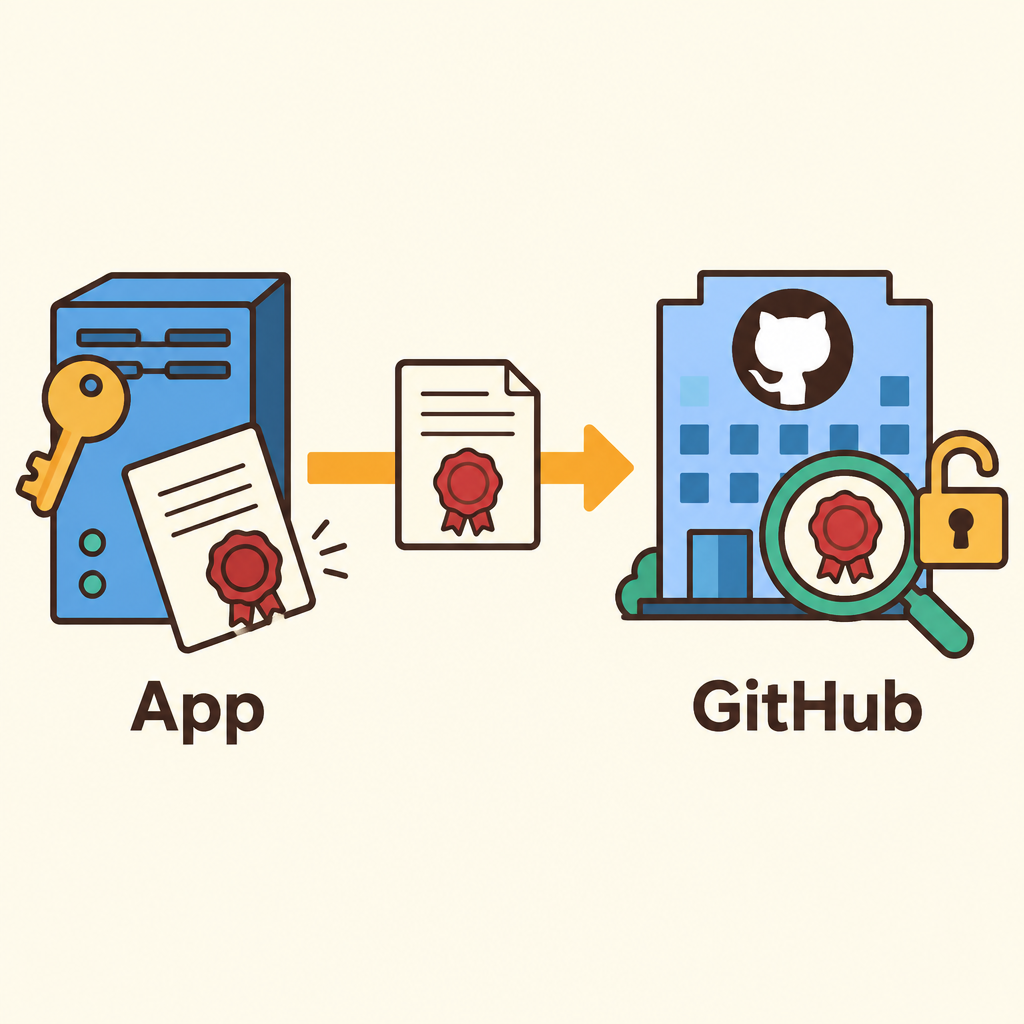
Notice that only the app holds the signing key, while GitHub only checks the seal on what arrives.
Two Keys, Two Jobs
When you register a GitHub App, you generate a key pair.
You download the private key as a .pem file and keep it secret on your server. GitHub keeps the matching public key.
- Private key
- Public key
The private key can create signatures. The public key can only check them.
So GitHub can verify your app without ever holding the secret that signs.
What Is Inside a JWT
A JSON Web Token has three parts joined by dots: header, payload, and signature.
The header says which algorithm was used, here RS256.
The payload holds claims: iss (your App ID or Client ID), iat (issued at), and exp (expires at).
The signature is computed over the header and payload with your private key.
- JWT
- Header: Names the algorithm: RS256.
- Payload
- iss: App ID or Client ID.
- iat: Issued at.
- exp: Expires at.
- Signature: Made over header and payload with the private key.
The iss Claim Names the App
iss stands for issuer. It tells GitHub which app is knocking.
GitHub uses that value to look up the app's public key.
On its own, iss is just text. Anyone could type your App ID.
What makes it trustworthy is the signature. Only the holder of the private key can produce one the public key accepts.
How GitHub Checks the Token
Your app builds the header and payload, then signs them with RS256 and the private key.
It sends the JWT in the request header as a Bearer token.
GitHub reads iss, finds that app's public key, and verifies the signature.
If the signature fails or the token has expired, GitHub rejects the request.
- Build header, payload
- Sign with RS256: Uses the private key.
- Send as Bearer
- Find key by iss: GitHub loads that app's public key.
- Valid and unexpired?
- Request accepted
- Request rejected
- Yes
- No
Short-Lived by Design
GitHub limits a JWT to at most 10 minutes of life.
Many apps set iat about 60 seconds in the past to cover clock drift between servers.
The JWT proves the app's identity only. To act on a repository, the app trades it for an installation access token.
That second token is scoped to one installation.
- Sign JWT: Create a JWT that lives at most 10 minutes.
- Prove identity: GitHub verifies the signature and reads iss.
- Get token: Trade the JWT for an installation access token.
- Act on repo: Use that token within one installation.
Spot It in Your Own Code
If your code sets iss, iat, and exp and signs with RS256, you are doing GitHub App authentication.
Explain it simply: the app signs a note saying which app it is, and GitHub checks it with the public key.
Guard the private key. If it leaks, anyone can sign as your app, so revoke it and generate a new one.
Keep JWTs short-lived and regenerate them as needed.
Check yourself
When a GitHub App authenticates, GitHub verifies the JWT signature using the _____
- app's public key
- app's private key
Answer: app's public key
GitHub keeps only the public key, which can check signatures but cannot create them. The private key stays secret on the app's server, so GitHub can verify the app without ever holding the signing secret.
A JWT has three dot-separated parts: the _____ names the algorithm such as RS256, the _____ holds the claims, and the _____ is computed over the first two with the private key.
Answer: A JWT has three dot-separated parts: the header names the algorithm such as RS256, the payload holds the claims, and the signature is computed over the first two with the private key.
The header declares the signing algorithm (RS256), the payload carries claims like iss, iat, and exp, and the signature is created over header and payload using the private key.
An attacker knows your GitHub App's App ID and puts it in the iss claim of a JWT they create. Why does GitHub still reject their token?
- They cannot produce a signature the app's public key accepts
- The App ID is secret and GitHub detects it was guessed
- GitHub only accepts iss values that are encrypted
- The iss claim must match the requester's IP address
Answer: They cannot produce a signature the app's public key accepts
The iss claim is just text that anyone could type. Trust comes from the signature: only the private key holder can produce a signature that the app's public key accepts.
Keep going
This is lesson 1 of 6 in GitHub Apps JWT 案例學:兩層 Token 認證設計. Next up:
- RS256 與公私隥驗證的原理
- JWT 與 Installation Access Token 的分工
- Clock drift 與 iat 設定的實務細節
- 為何選 RS256 而不是 HS256
- 如何把私隥使用次數壓到最低
Wondering turns any topic into short lessons you can read, watch, or listen to, with practice questions and an AI tutor.