Free sample lesson · Building Your Proxmox Home Lab
Equipment Basics
What old PC or mini-computer can you turn into a mini data center?
Lesson 1 of the Wondering course Building Your Proxmox Home Lab
Your Hardware Can Become A Lab
What old PC or mini-computer could become your mini data center?
You do not need an enterprise server. An old desktop, Intel NUC, or Lenovo Tiny PC can host a useful Proxmox home lab.
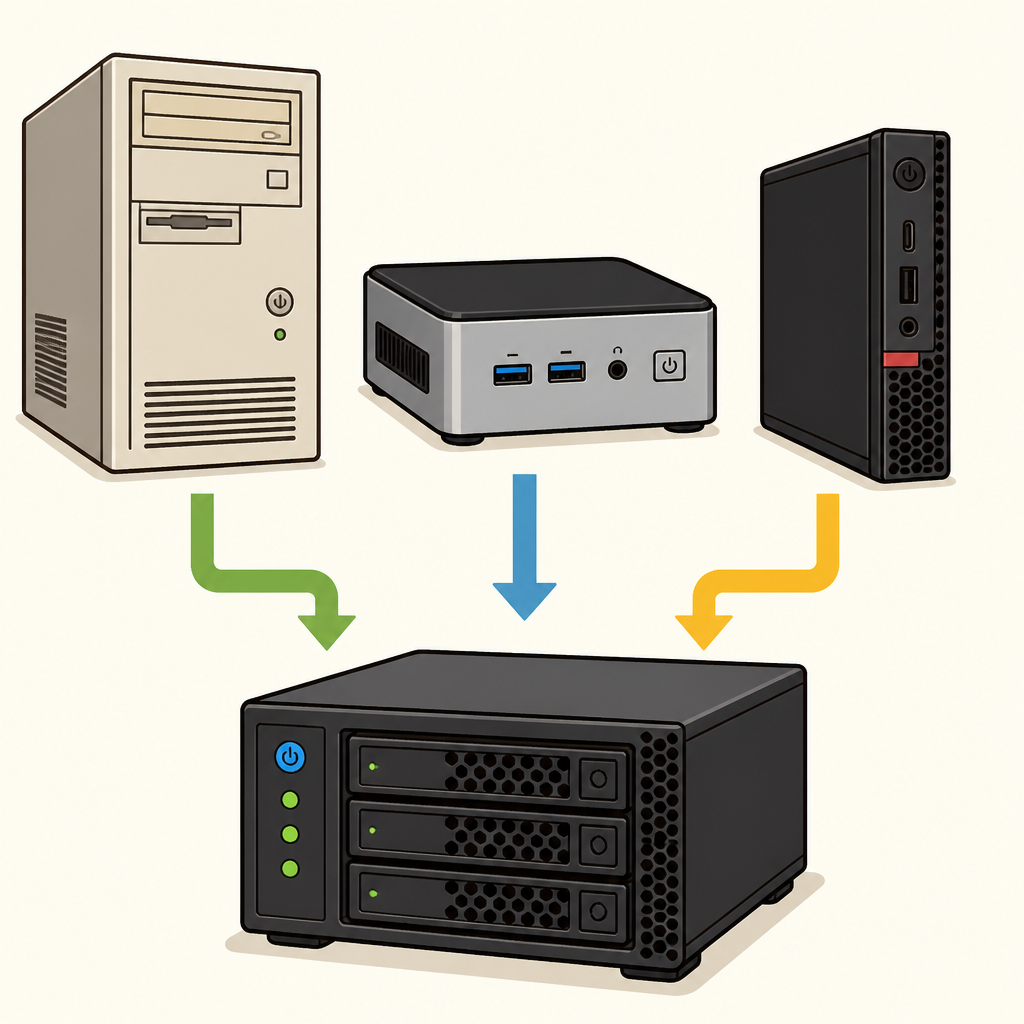
Practical Home Lab Hardware
This hardware becomes a safe place to deploy applications, test networks, and manage virtual machines under your control.
Check Virtualization Support
Virtualization lets one computer run several virtual machines at once.
Your 64-bit CPU needs a hardware feature such as Intel VT-x or AMD-V. These features help the hypervisor share the processor safely.
Check the computer’s BIOS and make sure virtualization support is enabled. Without it, Proxmox cannot use the CPU correctly.
- Confirm CPU: Use a 64-bit CPU with Intel VT-x or AMD-V hardware virtualization support.
- Open BIOS: Check the computer’s BIOS for the virtualization support setting.
- Enable support: Make sure virtualization support is enabled so Proxmox can use the CPU correctly.
Give Your Lab Enough Memory
Memory is often the biggest hardware bottleneck in a home lab.
Aim for at least 16GB of RAM. This gives you room to run several containers and virtual machines without major performance problems.
A small computer with limited memory may run Proxmox, but adding workloads can quickly slow it down.
Choose Fast, Practical Storage
Use an SSD when possible. Fast storage improves input and output operations for virtual disks, helping virtual machines respond more quickly.
Repurpose existing hardware before buying new equipment. Affordable mini-PCs can provide a reliable starting point for application testing and networking experiments.
Choose hardware that supports a 64-bit CPU, virtualization, 16GB of RAM, and SSD storage.
- Reuse first: Repurpose existing hardware before buying new equipment.
- Check essentials: Verify support for a 64-bit CPU, virtualization, and 16GB of RAM.
- Choose storage: Use SSD storage when possible to improve input and output operations for virtual disks.
- Confirm fit: Prefer hardware that meets all four requirements: 64-bit CPU, virtualization, 16GB of RAM, and SSD storage.
Check yourself
An old desktop or mini-PC can become a useful Proxmox home lab.
- True
- False
Answer: True
This is true. A home lab does not require an enterprise server; suitable older computers can host applications, test networks, and run virtual machines.
A practical home-lab computer needs a _____ for Proxmox, at least _____ for several workloads, and an _____ for faster virtual-disk input and output.
Answer: A practical home-lab computer needs a 64-bit CPU for Proxmox, at least 16GB of RAM for several workloads, and an SSD for faster virtual-disk input and output.
These requirements serve different purposes: a 64-bit CPU supports the platform, 16GB of RAM provides workload capacity, and an SSD improves storage responsiveness.
Which CPU feature allows a computer to support multiple virtual machines through a hypervisor?
- Intel VT-x or AMD-V
- An SSD controller
- A larger monitor
- A 32-bit operating system
Answer: Intel VT-x or AMD-V
Intel VT-x and AMD-V are hardware virtualization features. They help a hypervisor share CPU resources safely among multiple virtual machines.
Keep going
This is lesson 1 of 15 in Building Your Proxmox Home Lab. Next up:
- BIOS Configuration
- Media Creation
- Installer Walkthrough
- Network Config
- Web Dashboard
Wondering turns any topic into short lessons you can read, watch, or listen to, with practice questions and an AI tutor.