Free sample lesson · Beginner 3D Modeling and Printing
Shape Basics
How do simple 3D geometric shapes combine to build complex real-world objects?
Lesson 1 of the Wondering course Beginner 3D Modeling and Printing
From Printer to Designer
You already know how to take an STL file and turn it into a physical object.
CAD modeling flips that relationship. Now you make the file.
Every model, from a phone stand to a gear, starts with the same handful of basic solids.
The first real skill is learning to see complex objects as a collection of simple shapes.
- Print consumer
- CAD designer
Meet the Primitives
Geometric primitives are the basic shapes CAD gives you for free.
Three carry most of the workload: the cube, the cylinder, and the sphere.
- Geometric primitives: The basic shapes every 3D model begins with.
- Cube: A boxy solid useful for bases and bodies.
- Cylinder: A round solid useful for walls and holes.
- Sphere: A rounded solid for curved forms.
You do not draw them from scratch. You place them, resize them, and align them.
Master those three moves and you can construct almost any functional part.
Learning to See in Shapes
Look at any object near you and try to name its primitives.
This habit is the whole foundation of CAD. Before you touch a single tool, you break the object down in your head.
A complex part is rarely complex. It is usually several simple solids sharing space.
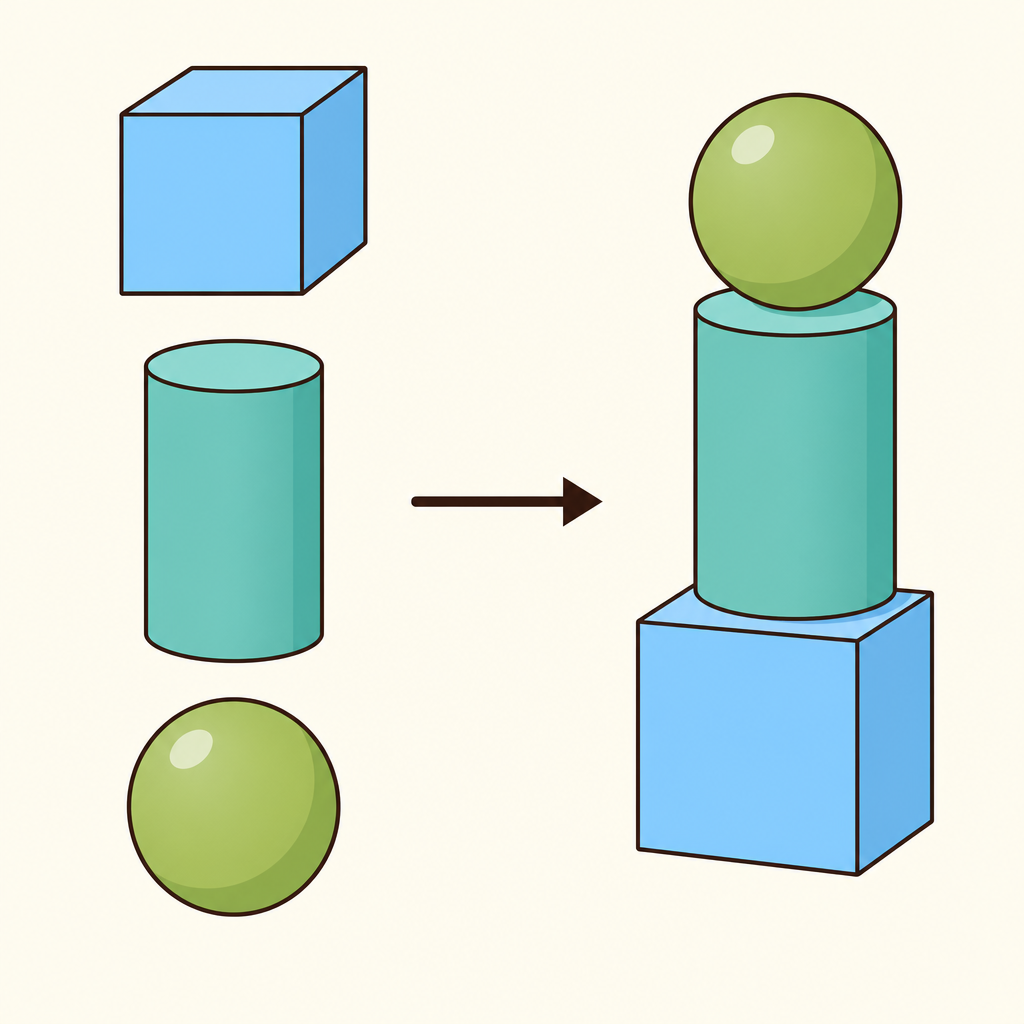
Notice how the object on the right is nothing more than the simple solids on the left, placed and sized.
The Coffee Mug Test
A coffee mug looks organic, but it is pure primitive geometry.
Start with a large cylinder for the body.
Subtract a smaller cylinder from the centre to hollow it out.
Then add a torus or a curved cylinder for the handle. Three shapes, one mug.
- Large cylinder: Place a large cylinder to form the body of the mug.
- Subtract centre: Remove a smaller cylinder from the centre to hollow it out.
- Add handle: Attach a torus or curved cylinder as the handle.
Additive and Subtractive
Two methods do nearly all the work in early modelling.
Additive means joining solids together to add material, like attaching that mug handle.
Subtractive means removing one solid from another, like carving out the inside of the mug.
Every hole, slot, and pocket you will ever model is a subtraction.
- Additive
- Subtractive
Why This Mirrors Printing
You have watched your printer lay down layer after layer of material.
That physical logic is the same logic behind additive modelling in CAD.
Thinking in added and removed material keeps your digital designs closer to what a machine can actually build.
Place, Resize, Align
Three operations turn primitives into parts.
Place puts the solid where it belongs. Resize gives it the right dimensions. Align makes surfaces and centres line up cleanly.
Alignment is where beginners lose the most time. A handle that is slightly off-centre is a handle that looks wrong.
- Place: Put the primitive where it belongs in the model.
- Resize: Give the solid the dimensions the part needs.
- Align: Line up surfaces and centres with the shapes around it.
Structurally Sound Models
A design that looks fine on screen can still fail.
Solids that only touch at a corner, or float slightly apart, are not really joined.
Understanding the basics ensures your designs are structurally sound and ready for the slicer.
Correct placement and alignment are what make that soundness real.
- Model assembled: Primitives have been placed and resized.
- Solids truly joined?: Do the shapes overlap, or only touch at a corner?
- Realign solids: Reposition so surfaces and centres line up.
- Ready for slicer: The design is structurally sound.
- Yes
- No
- Re-check
Your First Model
You now have everything needed for a first model from scratch.
See the object as simple shapes. Choose your primitives. Add and subtract. Place, resize, align.
That is the move from consumer of 3D prints to designer of original 3D objects.
Check yourself
A cube, cylinder, and sphere are common geometric primitives used to build complex CAD models.
- True
- False
Answer: True
Geometric primitives are basic solids provided by CAD software. Designers place, resize, and align them instead of drawing every shape from scratch.
In CAD modeling, _____ modeling joins solids to add material, while _____ modeling removes material to create holes or pockets.
Answer: In CAD modeling, additive modeling joins solids to add material, while subtractive modeling removes material to create holes or pockets.
Additive modeling combines solids, such as attaching a handle. Subtractive modeling removes material, such as hollowing the inside of a mug.
A handle is in the correct location but is slightly off-centre on a mug. Which operation should correct the problem?
- Align
- Resize
- Subtract
- Slice
Answer: Align
Align makes surfaces and centres line up cleanly. Place changes location, while resize changes dimensions; neither specifically ensures centred alignment.
Keep going
This is lesson 1 of 21 in Beginner 3D Modeling and Printing. Next up:
- 2D Sketching
- Extrusion Methods
- Mastering the 3D Design Workflow
- Accurate Sizing
- Boolean Cuts
Wondering turns any topic into short lessons you can read, watch, or listen to, with practice questions and an AI tutor.