Free sample lesson · Advanced ChatGPT for Business Automation
Knowledge Management
What if your AI knew every technical spec of your client's SaaS stack?
Lesson 1 of the Wondering course Advanced ChatGPT for Business Automation
Why Context Matters
What if your AI knew every technical spec in your client’s SaaS stack?
Knowledge management makes that possible by organizing useful information where it can be reused.
Instead of repeating architecture details, tools, preferences, and constraints, you give the AI reliable context once.
This matters during long-term consulting projects. Centralized context reduces repetitive prompting and helps produce more consistent output.
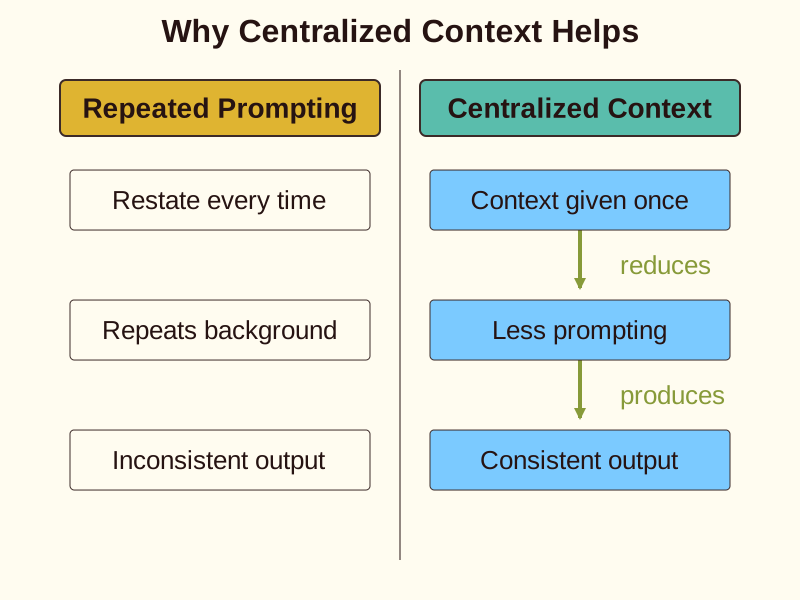
For an experienced IT professional, the idea is familiar: document the environment before troubleshooting. Here, you are creating a usable knowledge base for both you and your AI.
Build A Trusted Context
Start with a clear source of truth for each client or project.
Collect the technical details that shape your work, such as the SaaS stack, system constraints, naming conventions, and recurring requirements.
Keep related information together so the AI can interpret it as one working context.
Avoid treating every document as equally useful. A current architecture note may matter more than an old discussion thread.
Context also needs maintenance. When the client changes a tool or requirement, update the shared information before relying on it again.
- Source: Start with a clear source of truth for each client or project.
- Collect: Gather the SaaS stack, system constraints, naming conventions, and recurring requirements.
- Organize: Keep related information together so the AI can interpret it as one working context.
- Prioritize: Treat current architecture notes as more useful than older discussion threads when they are more relevant.
- Maintain: Update the shared information when a client changes a tool or requirement.
Use Projects For Continuity
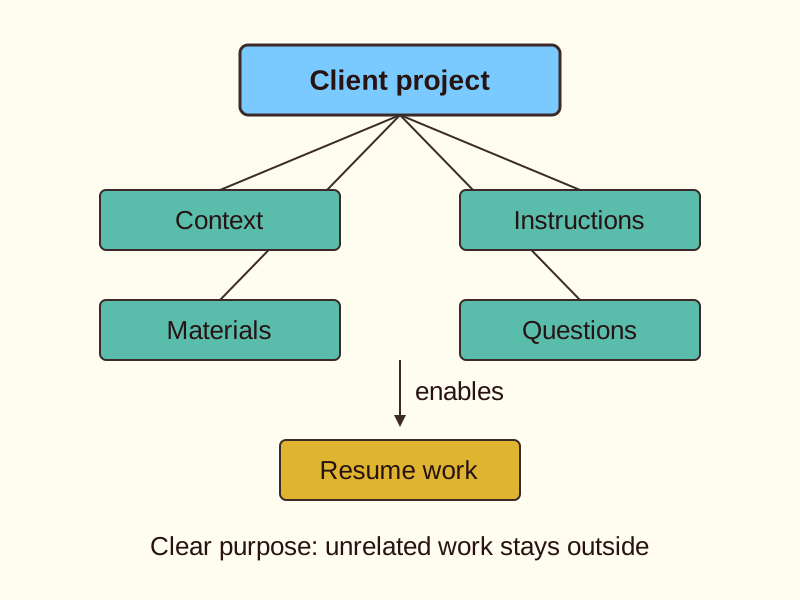
A project can provide a focused home for ongoing client work.
Place relevant context, instructions, and working materials together instead of scattering them across unrelated chats.
For example, one client project might contain their SaaS inventory, integration notes, preferred reporting format, and open consulting questions.
This structure helps you resume work without reconstructing the entire situation from memory.
A project should have a clear purpose. Do not mix unrelated clients or personal experiments into the same space, because that can make context harder to interpret.
Choose Agents Carefully
An agent is useful when a task needs a repeatable process rather than a single answer.
For example, an agent could support a recurring review of a client’s technical documentation and organize findings in a consistent format.
Give the agent a defined role, a clear input, and an expected output. These boundaries make the task easier to start and easier to check.
Use an agent when the workflow repeats. For a one-time question, a normal conversation may be simpler.
- Assess task: Assess whether the workflow repeats.
- Repeats?: Choose based on whether the workflow repeats.
- Define agent: Set the role, input, and expected output.
- Use conversation: Use a normal conversation for a one-time question.
- Run process: Run the repeatable process with defined boundaries.
- Dependable help: Dependable assistance without extra configuration.
The goal is dependable assistance, not extra configuration.
Extend Work With Custom Apps
A custom app can shape AI assistance around a specific business workflow.
Use one when your process needs dedicated behavior, specialized instructions, or a consistent way to handle recurring information.
Imagine a consulting app that turns a client’s infrastructure notes into a standard discovery summary. You define the task once, then reuse the same approach.
Custom apps are helpful when a repeated workflow has clear boundaries. They are less useful when the task changes completely each time.
Start with one frequent pain point instead of trying to automate the entire business.
- Repeated workflow with clear boundaries
- Task changes completely each time
Reduce Prompting Repetition
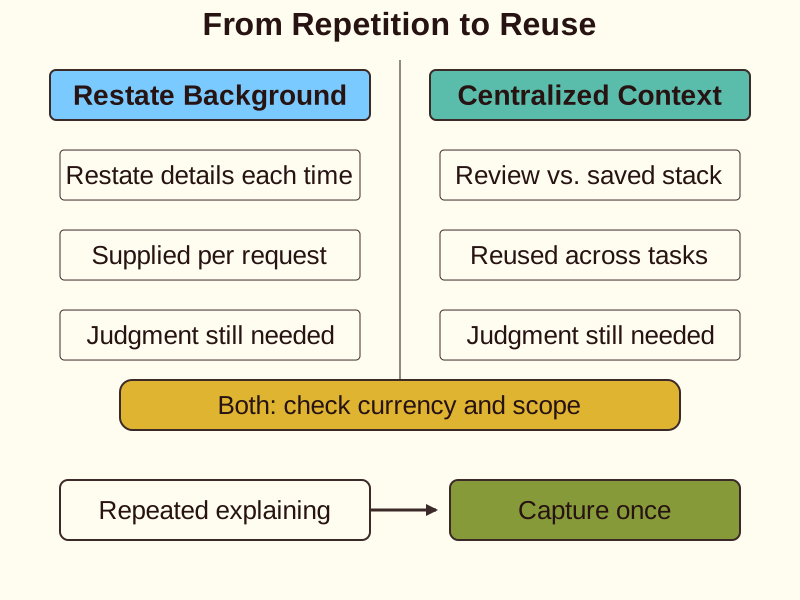
Centralized context changes how you begin tasks.
You can ask, “Review this change against the client’s documented stack and constraints,” rather than restating every technical detail.
The saved context supports consistent outputs across status reports, architecture reviews, and planning conversations.
Still, context does not remove the need for judgment. Check whether the information is current and whether the request falls within the project’s scope.
A useful test is simple: if you repeatedly explain the same background, capture it once in a reusable location.
Create A Low-Friction Workflow
Make knowledge management easy enough to use when task initiation feels difficult.
Begin with one small action: create a project for a single client or write a short stack summary.
Next, add only the context needed for the next recurring task. Avoid waiting for a perfect documentation system.
Use a repeatable sequence: capture, organize, reuse, then update.
- Capture: Begin with one small action, such as creating a project for one client or writing a short stack summary.
- Organize: Add only the context needed for the next recurring task instead of waiting for perfect documentation.
- Reuse: Use the organized context in the next task to reduce future prompting.
- Update: At the end of the task, save one useful decision or requirement so the next start is clearer.
At the end of a task, save one useful decision or requirement. Over time, these small additions reduce future prompting and make the next start clearer.
Choose the right knowledge-management support
Check yourself
Centralized context reduces repetitive prompting by providing reliable background information to the AI once.
- True
- False
Answer: True
Knowledge management organizes useful information into a centralized location, allowing the AI to reuse context across tasks without requiring restatement.
When structuring AI tools, an _____ is best suited for executing a repeatable process, whereas a _____ is designed to shape AI behavior around a dedicated business workflow.
Answer: When structuring AI tools, an agent is best suited for executing a repeatable process, whereas a custom app is designed to shape AI behavior around a dedicated business workflow.
Agents provide repeatable assistance for dynamic processes (like document reviews), while custom apps structure AI interaction for fixed, specific business workflows.
Which material should be excluded from a specific client project space?
- The client's SaaS tech stack inventory
- Personal experiment notes and unrelated client drafts
- Preferred reporting formats and naming conventions
- Open consulting questions and integration constraints
Answer: Personal experiment notes and unrelated client drafts
A project space should maintain a clear purpose focused on a single client or goal. Mixing in unrelated client materials or personal experiments makes context harder for the AI to interpret.
Keep going
This is lesson 1 of 13 in Advanced ChatGPT for Business Automation. Next up:
- Custom Instructions
- File Integration
- Architecting AI for Technical Infrastructure
- GPT Configuration
- Action Triggers
Wondering turns any topic into short lessons you can read, watch, or listen to, with practice questions and an AI tutor.